Use button as toggle
SMARTMenu provides the ability to convert a static button into a toggle button.
- Select the intended button to change
- The Command Properties are displayed
- Select Options from the Command Settings area
- The Options tab is displayed
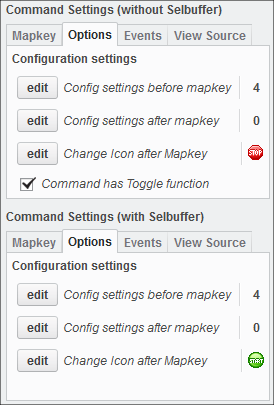
- The Options tab is displayed
- Check the Command has Toggle function button
- The software will now alternate between action 1 and action 2 in the upper and lower mapkey tab.
- To display different icons for the alternating actions, click Edit from the upper action area to choose a command icon
- Repeat the previous step for the lower action area