Apply config.pro Options
This functionality allows you to apply config.pro Options before and after the command (mapkey) execution.
- Select the intended button to change
- The Command Properties are displayed
- Select Options from the Command Settings area
- The Options tab is displayed
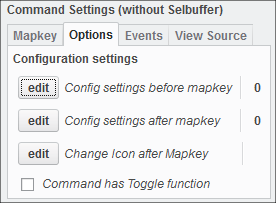
- The Options tab is displayed
- Click Edit to change the config.pro settings before and after the mapkey.
- The Advanced settings dialog opens
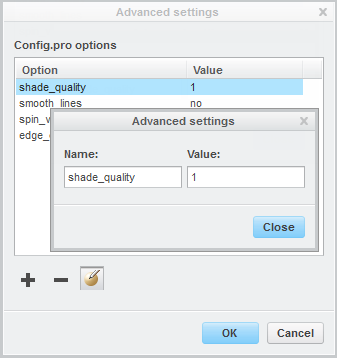
- The Advanced settings dialog opens
- Use Add, Remove or Edit to apply a confg.pro option and its value
- Add as many options as intended
- Close the dialog when you are finished
 Note
Note