Content creation — General Workflow
The Administration dialog within SMARTColor allows you to setup the configuration within a graphical user interface. It provides all the necessary tools to specify the
required information and details.
Use the environment variable SC_ADMIN_MODE_ENABLED and set it to TRUE. The Administration group will appear within the SMARTColor ribbon tab.
- Select Content Manager
 from the SMARTColor tab
- The Content Manager dialog opens
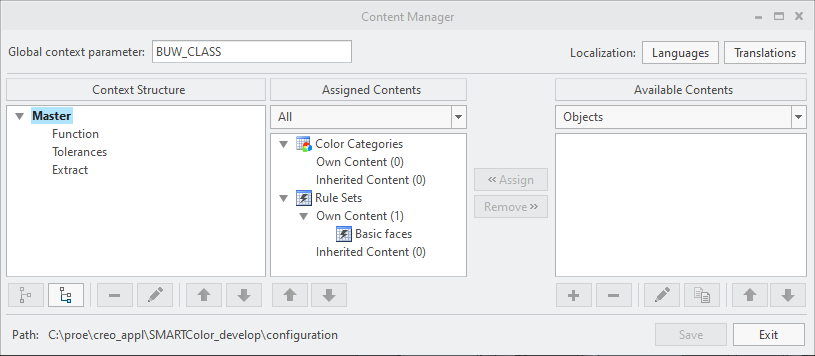
- The Content Manager dialog opens
- (Optional) Define the Global context parameter
- (Optional) Manage your languages and translated texts
- Setup a Context Structure to distinguish multiple rule and color areas
- Create Objects from the following types
- Assign Rule Sets and Color Categories to Context


