Add events to a button
SMARTMenu allows you to add events to each button, that will be performed after the original mapkey sequence.
- Select the intended button to change
- The Command Properties are displayed
- Select Events from the Command Settings area
- The Events tab is displayed
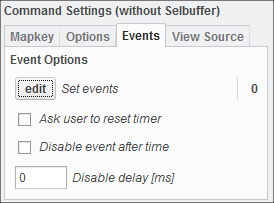
- The Events tab is displayed
- Click Edit to setup events
- The Advanced settings dialog opens
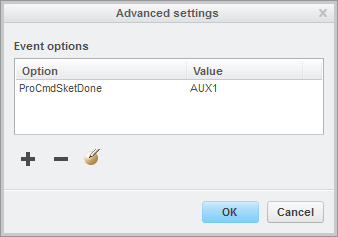
- The Advanced settings dialog opens
- Choose Add and enter an event option and value.
- The Option is any Creo Command that you can extract from the trail file
- The Value is the ID of any previously created SM command
- The Option is any Creo Command that you can extract from the trail file
- Check Disable after time and enter a value (in millisec) to timeout the event after that time.
- Check Ask user to reset timer to popup a message for the user to cancel the event.
 Note
Note