 Macros in Configuration Options
Improved workflow when adding path or folder location options
In the Options dialog you will find a new button Macros that opens a small dialog showing the available macros and its values to be used in path or folder options.
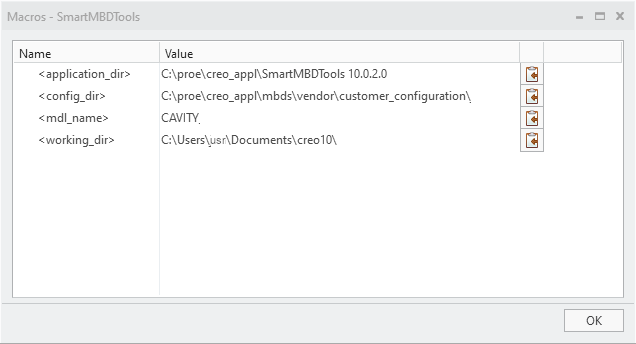
The following macros are available:
- <application_dir> Points to the installation folder of the software
- <config_dir> Points to the location where your configuration is located. Set by environment variable SMBDT_USER_CONFIG_PATH
- <mdl_name> Can be used for the name of the current active model within Creo
- <working_dir> Points to the Creo working directory
Using the Copy to Clipboard  you can copy the name of the macro to your path or folder location option.
you can copy the name of the macro to your path or folder location option.
What is the benefit of this enhancement?
- Using the macros allows to flawless use the same configuration within different situations or locations.
- The dialog provides an overview of the real folder locations used by the macros.
Additional Information
|
Tips:
|
Use the macros within your options instead of hard-coded locations
|
|
Limitations:
|
No known limitations.
|
|
Does this replace existing functionality?
|
No. |
|
Configuration options associated with this functionality:
|
No new options |