 Enhanced default configuration
Examples added to default configuration
The default configuration now contains a context branch ‘Use cases’ where you can easily can learn how to use and setup your
configuration or use existing objects as reference.
Workflow
- Select New Model from Template
 from the SmartMBDTools ribbon
 - Select a template model from the Context tree (Use cases)
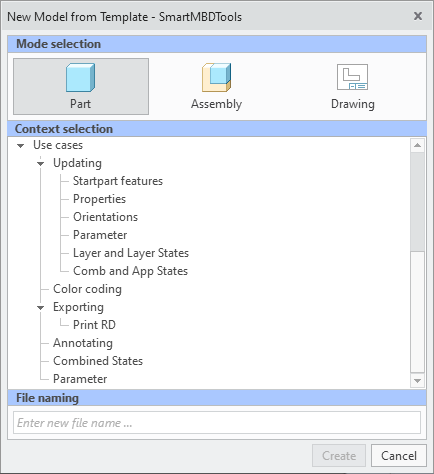
- A new model is opened that already contains the context parameter an the respective value
- Display the Design tree from the model and expand the Custom group section
- A brief workflow is presented
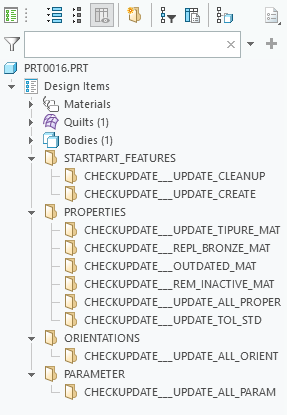
- A brief workflow is presented
What is the benefit of this enhancement?
- Improved overview of capabilities
- Enhanced trouble shooting
Additional Information
|
Tips:
|
None.
|
|
Limitations:
|
No known limitations.
|
|
Does this replace existing functionality?
|
No |
|
Configuration options associated with this functionality:
|
No new options |