 Modification of Configuration dialog layout
Layout changes
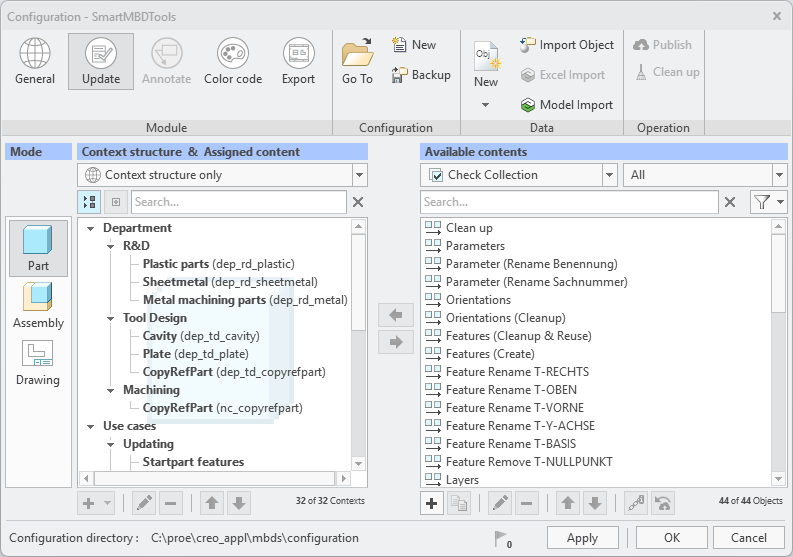
The motivation for this change is the improved visual connection of the selected mode and the context tree in the configuration
dialog. If the administrator changes the mode the context tree adopts the mode and shows the relevant context nodes. In addition, this is emphasized by an underlying watermark images showing
the mode. At the same time the small images adjacent to the context label are removed for better readability.
This modification made it necessary to move the functional buttons from left and right side to a location under the respective
areas.
What is the benefit of this enhancement?
- Improved visual understanding of the active mode in context tree
- Improved readability in configuration dialog
Additional Information
|
Tips:
|
None.
|
|
Limitations:
|
None. |
|
Does this replace existing functionality?
|
No. |
|
Configuration options associated with this functionality:
|
None. |