 Export and import of object definitions
Provided export and import for object definitions
Previously you could not reuse object definitions in another configuration or another place within the configuration. The
new mechanism for exporting and importing objects allows to reuse object definitions.
Workflow
Export
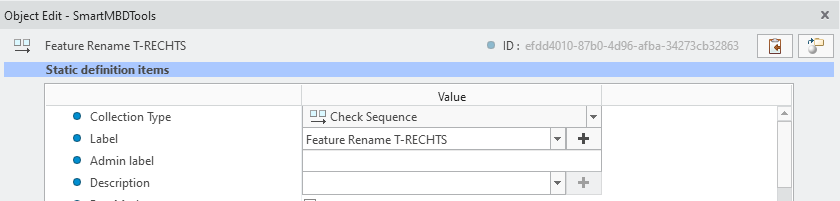
From any Object Edit dialog you can use the  Export button to export the current object
Export button to export the current object
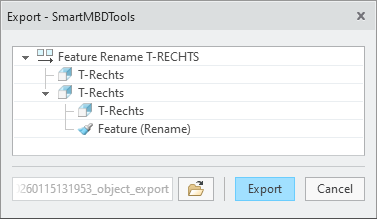
A window showing the reference tree of the current object is displayed. These objects will be included in the export.
Save the xml file to any location on your computer or network drive.
ImportUse the  Import Object button from the Configuration dialog ribbon to import a valid xml file. Browse to the intended file.
Import Object button from the Configuration dialog ribbon to import a valid xml file. Browse to the intended file.

If there are Object definitions within in the configuration a Conflict window is displayed.
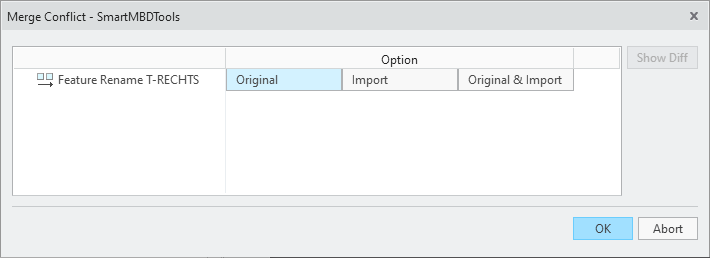
Choose one of the following options:
- Keep the original object definitions
- Use the imported object definitions and overwrite the original definitions
- Keep the original and import as a copy
The imported object definitions are now listed in the respective object lists
 Note
Note
What is the benefit of this enhancement?
- Quick re-use of object definitions
- Improved support options by exchanging single object definitions
Additional Information
|
Tips:
|
|
|
Limitations:
|
None. |
|
Does this replace existing functionality?
|
No. |
|
Configuration options associated with this functionality:
|
None |