Use Electrode Parameters On Position Sheets
Allow usage of electrode parameters in table cells on osition sheets.
What is the benefit of this enhancement?
This enhancement allows usage of electrode parameters in tables and title blocks on position sheets to display electrode specific
information.
Workflow
SMARTElectrode runs through all tables and replaces placeholders with parameters when new sheets are derived from drawing templates. Template
asm_edm.drw is used to show the electrode position on workpiece. Therefore the electrode assembly is the drawing object. If the drawing
tables or title block include electrode parameter names (orange), those parameters can’t be found in the current drawing object
and remain text. But it may be desirable to show electrode parameter values as well.
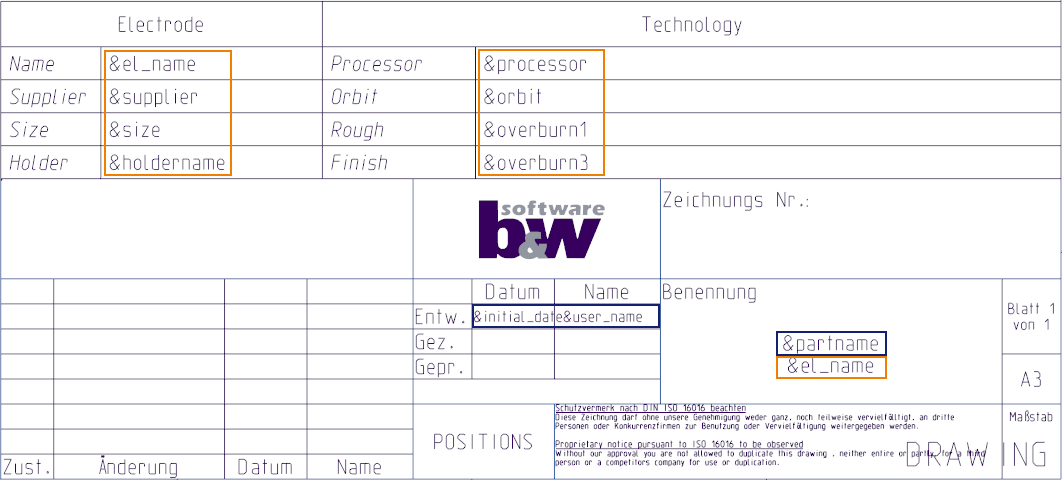
Drawing Creation Result in Original State
Only available parameters associated with the electrode assembly (blue) show up.
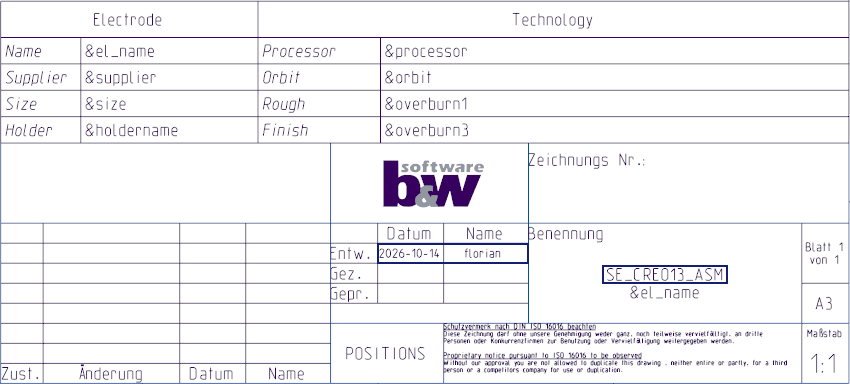
Drawing Creation Result in New State
In the new release, SMARTElectrode tries to replace the placeholders in a two-step approach. Assembly parameters are checked at first, electrode parameters
are used alternatively in the second step. As the electrode part is not the current drawing object, the session id will be
used to link the parameter to the correct object. Image below shows table and title block with all placeholders processed
by SMARTElectrode successfully.
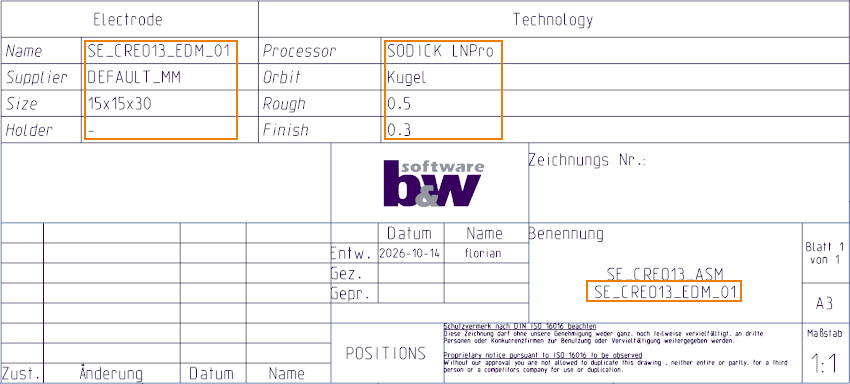
Usage
- Click to open the file browser.
- Select <configuraton directory>\templates\asm_edm.drw and confirm.
- Insert default rule from parameter configuration’s last column (&<default rule>) or parameter name from first column (&<parameter name>) in table cells.
- Save drawing template to configuration.
 Note
Additional Information
|
Tips:
|
None.
|
|
Limitations:
|
None.
|
|
Does this replace existing functionality?
|
No. |
|
Configuration options associated with this functionality:
|
None. |