Custom Reference for Start Position
Users can now select a custom reference to define a start position.
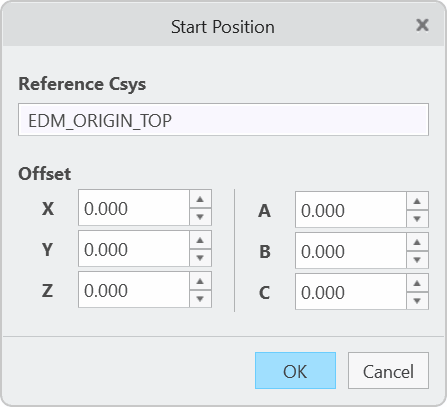
In active component mode click Electrode  Start Position to open the user interface. Optionally select a custom reference to define offset and rotation. Use preview in object window
to control the result and save reference with adjusted offset values on OK. Activate a different electrode component in the model tree to repeat the process for another position.
Start Position to open the user interface. Optionally select a custom reference to define offset and rotation. Use preview in object window
to control the result and save reference with adjusted offset values on OK. Activate a different electrode component in the model tree to repeat the process for another position.
What is the benefit of this enhancement?
This enhancement allows a more flexible approach to define start positions for electrodes.
Additional Information
|
Tips:
|
None.
|
|
Limitations:
|
No known limitations.
|
|
Does this replace existing functionality?
|
No. |
|
Configuration options associated with this functionality:
|
None. |