Configuration
The Configuration dialog within SMARTColor allows the administrator to customize and prepare the software for production use.
- Select Configuration
 from the SMARTColor tab
- The Configuration dialog opens
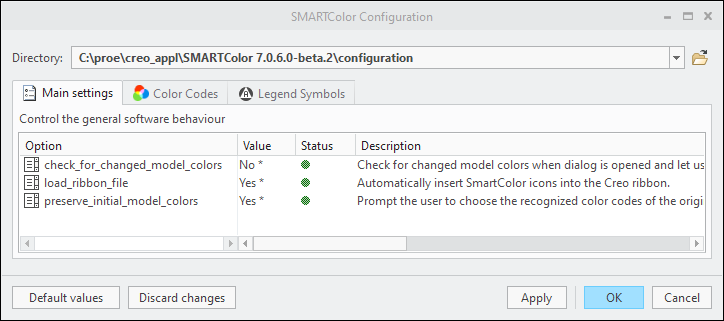
- The current configuration Directory is displayed. Select another directory from the pull-down menu if available
- The Configuration dialog opens
- Toggle between Tabs to manage the corresponding config options.
- The Options Table contains the following columns
- Option name — Name of the config option
- Value — Select or enter a Value for the option.
- Status — Highlights options that are not applied to the current session
- Description — Explains the option and its usage.
- Select the Default Values button to reset all option to its default values.
- Select the Discard Changes button to undo all unsaved modifications.